Monday, June 30, 2008

Best signature we've seen so far

Christopher Quinn in Wisconsin, one of our favorite calendar geeks, has one of the more helpful email signatures we've seen in a while, which we're posting here to spread the word.

These are the top behaviors to encourage to keep from creating broken meetings in Outlook/Exchange.

The 4 most important things you can do to prevent calendar related issues

  1. Always send updates to all when making any change to a meeting

  2. Always send cancellations to meetings being removed from a calendar

  3. Always process meeting requests every time you open them

  4. Make sure that requests are deleted from the inbox after replying

And for those of you who want the full story - check out the excellent article Outlook meeting requests: Essential do’s and don’ts

Friday, June 27, 2008

A new source for broken meetings in Outlook/Exchange

Just as we're getting certain we found and plugged one source of broken meetings, along comes another.

Namely, KB 954284 : Outlook 2007 does not send out meeting cancellations if you remove all invited attendees from a previously created appointment.

The interesting thing about this one is that it occurs in pure Outlook 2007 environments, as opposed to the more well-known 2003/2007 cases.

We're looking at it.

Wednesday, June 18, 2008

Oracle Beehive and Migrating from Meeting Maker

Over the last few years our inquires have been running something like 90 to 0 in favor of getting OUT of Oracle Calendar Server.

Imagine our surprise when this morning we had an inquiry of a site wanting to migrate from Meeting Maker INTO Oracle Beehive.

Editorial Update August 19, 2008: Looks like instead of Beehive (which we referred to internally as "Buzz Off" but we also heard called "Hornet's Nest") they're going to Zimbra. All in all a safer choice.


We jumped into figuring out how to do it (only too aware of how we will invariably discover underlying problems we did not anticipate).

Step 1: Export your MM server as a .DAT file, ship it to Sumatra, and let us convert it into an Access database (easy, we handle this now).

Step 2: Using Sumatra's zinsert tool, convert MM data into a series of related iCalendar files (easy, we handle this now).

Step 3: Using import_icalendar in Beehive, bring in the converted data from Step 2 (now this we have not tried in the real world and expect to find at least one or two problems when we do).

The command will look something like this:

beectl import_icalendar --file zyg@sumatra.com.ics

And of course it will be repeated N times where N is the number of users you have.

I'm not sure if this will properly handle resources and locations yet, but stay tuned.

Short answer to those of you wanting to get calendar data into Beehive: It looks good -- but we're going to team with you if you understand that right now we're considering it more of a "clinical trial" than a released solution.

We suspect we're going to have some problems with GUID format and Time Zone nomenclature, but the architecture of the method looks sound.

Also, please check out Gartner's Oracle Jumps Into the Collaboration Market (Again).

Now, for the problem of taking calendar data out of Beehive and putting it into Exchange -- our experience has been that won't be an issue for the next 12-18 months. But if it's an issue for anyone sooner than that just let us know -- we can certainly insert any calendar data into Exchange.

Friday, June 13, 2008

New Flag for Zinsert Zimbra Migration

Sometimes I feel a little like Ron Popeil (I have seen him speak in person and he was amazing) when I talk about new features.

So I'll just launch into that mode now.

Has this ever happened to you?

You have 1500+ users in Meeting Maker and you want to migrate them to Zimbra. So you export your Meeting Maker database with 1200 user IDs mapped to your new Zimbra email, figuring you're going to delete the other 300 low-volume / terminated / lost at sea users later on.

But Sumatra Development (those meanies who don't understand the pain it is to compress Meeting Maker data with the Admin utility) tell you you have to MAP all those users (or go through some Béla Károlyi-class gymnastics variations to remove the relevant data from the database) before their process will work.

Worry no more!

We added a switch "-skipnoemail" if you want to skip over users with either null or empty email addresses, they'll not create ICS files or appear in guest lists. So it saves time all around.

We're not done yet!

We uploaded it to the relevant FTP sites for anyone currently migrating or testing migration.

Call before midnight tonight!

Oracle Calendar migration clients do not need it since they can selectively set the user calendar data they extract.

Thursday, June 12, 2008

Designates to Sharing Roles: Reading 'em in and Writing 'em out

So now you're saying: I have this Designate data out of my soon-to-be retired Oracle Calendar Server, what do I do with it now?

We'll tell you that -- but first you've got to wrap your mind around the fundamental conundrum of OCS Delegate to Zimbra sharing roles mapping: that OCS has WAY more options than Zimbra.

This can be potentially infuriating to end users (who have gotten used to the range of capability) and maddening to the folks in charge of migrating (who need to communicate this to those potentially irate and already confused end users).

We've kept it as simple as possible.

If Alice made Bob a Designate with any View rights at all in OCS, in Zimbra Alice would at least have given View sharing privileges to Bob. (This is not too controversial.)


For Modify Privileges it gets a little more intricate, but relies on a simple choice: Do you want to cast a wide net or a narrow one?


Let me expand on this. For all users when converting this data you have this option in OraCalReader:

Since in OCS Alice meant for Bob (say) to have at least some Modify rights, if you want to cast a wide net, select ANY. If you as a company want to strictly allow Modify rights only if full modify rights have already been allowed, select ALL.

So now this all goes into our intermediate database and to produce a list you can execute, go into the database, select Macros, and double-click on M_OutputZimbraProxies (we tend to use the term Proxy for Designate/Delegate/Sharing Role for historical reasons).

This results in an output file called ZMPROXY.BAT, which looks like this:

zmmailbox -z -m claudette@DOMAIN mfg -i /Calendar account adam@DOMAIN rwidx

zmmailbox -z -m claudette@DOMAIN mfg -i /Calendar account bela@DOMAIN r

zmmailbox -z -m location1@DOMAIN mfg -i /Calendar account claudette@DOMAIN rwidx

zmmailbox -z -m bela@DOMAIN mfg -i /Calendar account adam@DOMAIN rwidx

Which says Claudette gives Adam read/write access to her calendar, etc. etc. etc.

Of course you've got to take this to file to Zimbra and run it as your Zimbra admin. You also can edit it before you do so if you need to.

The same capability will work for Meeting Maker Proxy roles today (we read these directly from the raw Meeting Maker data).

If folks are interested in doing this for migrating Designate rights into Exchange we'll look at it -- it's a little more complex and will work only for Exchange 2007 sp1.

Tuesday, June 10, 2008

Extracting Oracle Calendar Designate Data

We went ahead and did it: We're extracting Oracle Calendar Server Designate data, feeding it into our intermediate database, and outputting it to automatically set up Sharing Roles in Zimbra (just because it was relatively easy and we have a motivated real-world test client down the street).

Microsoft Exchange users - we'll see (side note: you have to be migrating to Exchange 2007 sp1 -- we are not inserting Delegates into Exchange 2003 ever again).

So first issue: How to extract the data.

We use two batch files to create a file out of OCS that we can manipulate easily.

The first is called EXPORT-DES.BAT and looks like this:

call uar "S=Garcia/G=Jerry"
call uar "S=Liberace/G=Walter"
call uar "S=Lennon/G=John"
call uar "S=Amiumi/G=Puffy"
call uar "S=Page/G=Jimmy"
call uar "R=CR Mozart"
call uar "R=Shea Stadium"

All it is is a list of users and resources which are being passed to a second batch file UAR.BAT which does the hard work. Can this be further scripted? Sure -- but we're aiming for simplicity and clarity here so we'll leave further development as an exercise for the motivated migrator.

UAR.BAT is simply executing UNIACCESSRIGHTS on OCS and dropping everything into a file we can read.

UAR.BAT looks like this:

echo %1 >> des-ALL.txt
uniaccessrights -ls -grantor %1 -grantee "S=*" -n 1 -p PASSWORD >>des-ALL.txt
echo enduser >>des-ALL.txt
echo "" >>des-ALL.txt

This produces des-ALL.TXT which looks like this:

"S=Garcia/G=Jerry"
Grantee: S=Lennon/G=John/UID=John.Lennon/ID=257/NODE-ID=1
Designate Right: CONFIDENTIALEVENT=VIEWTIME/CONFIDENTIALTASK=MODIFY/NORMALEVENT=MODIFY/NORMALTASK=MODIFY/PERSONALEVENT=REPLY/PERSONALTASK=MODIFY/PUBLICEVENT=NONE/PUBLICTASK=MODIFYEvent Viewing Right: CONFIDENTIAL=ALL/NORMAL=ALL/PERSONAL=ALL
Grantee: S=Liberace/G=Walter/UID=Walter.Liberace/ID=260/NODE-ID=1Event
Viewing Right: CONFIDENTIAL=NONE/NORMAL=ALL/PERSONAL=TIME

Grantee: S=Page/G=Jimmy/UID=Jimmy.Page/ID=262/NODE-ID=1
Designate Right:CONFIDENTIALEVENT=MODIFY/CONFIDENTIALTASK=MODIFY/NORMALEVENT=MODIFY/NORMALTASK=MODIFY/PERSONALEVENT=MODIFY/PERSONALTASK=MODIFY/PUBLICEVENT=MODIFY/PUBLICTASK=MODIFY
Grantee: Everyone
Default Event Viewing Right: CONFIDENTIAL=ALL/NORMAL=ALL/PERSONAL=ALLDefault
Task Viewing Right: CONFIDENTIAL=ALL/NORMAL=ALL/PERSONAL=ALL
Default Scheduling Right: CANBOOKME=TRUE
enduser
""
"S=Liberace/G=Walter"
Grantee: Everyone
Default Event Viewing Right: CONFIDENTIAL=TIME/NORMAL=TIME/PERSONAL=TIME
Default Task Viewing Right: CONFIDENTIAL=NONE/NORMAL=NONE/PERSONAL=NONEDefault Scheduling Right: CANBOOKME=TRUE
enduser ""

If you think this looks like gobbly-gook you should see some of the other data formats we've had to read over the years.

How's this get put into the intermediate database?

Via the new options on OraCalReader.exe (which we will explain in the next few days).

Monday, June 09, 2008

Delegate, Designate, Proxy, Sharing Role, Whatever

The simplest things to describe are almost invariably the ones that go by dozens of different names as vendors either try to give you the impression they're differentiated or try to make it easier to comprehend their features.

So to try to make some sense of the way "Delegate" or "Proxy" (our two favorite ways of describing selectively giving view or edit rights on your calendar to someone else) among the calendars we most often see we put together this table.

The wild card in all of this is Oracle Calendar which has a lot of functionality in its own domain which (by definition) does not transfer exactly to less rich domains (like Microsoft Exchange).

Thursday, June 05, 2008

Oracle Calendar Designates and Zimbra Sharing Roles

We got asked about moving Designate rights from Oracle Calendar Server into Zimbra, and came up with a simple solution that in our spirit of full-disclosure we figured we'd document.


Let's begin with the end in mind.


Zimbra has three Roles for sharing: None, Viewer, and Manager.

In sharing you can grant Read, or you can grant Read and Write, or you don't grant anything at all.

Oracle Calendar has many more and finer-grained options.

Let's look at one of our test OCS users Jerry Garcia.

His Designate John Lennon has options on both Reading (Viewing) and Writing (Designate) calendar items, also cross-referenceed against the security level of individual items (and keep in mind both Outlook and Zimbra have only two levels of security to individual items: Public and Private).

Walter Liberace has no Designate rights granted by Jerry Garcia,


but Walter Liberace does have Viewing rights.

Jimmy Page has full Designate rights.

So how on earth do you take something with a matrix of possibilities and distill it down to fit into a paradigm with two?

If you ran this command in OCS:

uniaccessrights -ls -grantor "S=Garcia/G=Jerry" -grantee "S=*" -n 1 -p PASSWORD >jerry_garcia.txt

You'd generate this output:

Grantee: S=Lennon/G=John/UID=John.Lennon/ID=257/NODE-ID=1Designate Right: CONFIDENTIALEVENT=VIEWTIME/CONFIDENTIALTASK=MODIFY/NORMALEVENT=MODIFY/NORMALTASK=MODIFY/PERSONALEVENT=REPLY/PERSONALTASK=MODIFY/PUBLICEVENT=NONE/PUBLICTASK=MODIFYEvent Viewing Right: CONFIDENTIAL=ALL/NORMAL=ALL/PERSONAL=ALL

Grantee: S=Liberace/G=Walter/UID=Walter.Liberace/ID=260/NODE-ID=1Event Viewing Right: CONFIDENTIAL=NONE/NORMAL=ALL/PERSONAL=TIME

Grantee: S=Page/G=Jimmy/UID=Jimmy.Page/ID=262/NODE-ID=1Designate Right: CONFIDENTIALEVENT=MODIFY/CONFIDENTIALTASK=MODIFY/NORMALEVENT=MODIFY/NORMALTASK=MODIFY/PERSONALEVENT=MODIFY/PERSONALTASK=MODIFY/PUBLICEVENT=MODIFY/PUBLICTASK=MODIFY

Grantee: EveryoneDefault Event Viewing Right: CONFIDENTIAL=ALL/NORMAL=ALL/PERSONAL=ALLDefault Task Viewing Right: CONFIDENTIAL=ALL/NORMAL=ALL/PERSONAL=ALLDefault Scheduling Right: CANBOOKME=TRUE

Remember -- our end result needs to be binary (if you're there at all you're in View Role or Manage Role), so our decision making process needs to be equally black and white.

Our two basic rules:

If you're giving an OCS user any Viewing rights at all then in Zimbra you'd at least giving them Viewer rights (not too controversial).

The next step: if you've given them Modify rights on anything in OCS then they get upped to Manager level in Zimbra.

Final step: If your users are making you set this up for them they can go in post deployment and switch them around.

How's this sound to everyone?

Stay tuned for how we implement taking this data out of OCS and putting it into something you can use in Zimbra.


Tuesday, June 03, 2008

Broken Meeting Data and Exchange 2007

Let's say you're in Exchange 2007 and still using Outlook 2003 (not that we ourselves do this or have any clients with this kind of environment, but we hear tell it's still done). So you create a meeting and invite a managed resource. Like this:

Let's say that later on your users do things like deleting resources from meetings and not sending updates. Sort of like this:
Is this avoided by using Outlook 2007? Yes. But 1.) This happens now and 2.) If you upgraded to 2007 from 2003 before you mandated Outlook 2007 to correct this you probably still have the results of this activity floating around your calendars.

The result is what we've been calling Broken Meetings (you'll hear us sometimes call them "orphan" or "zombie" meetings) -- cruft that's making your resources harder to manage by taking up space they shouldn't be.

This wouldn't be a big problem if you could
  1. Identify them

  2. Remove them

So glad you asked what we were doing about it. Since we've gotten really used to creating well-formed calendar data in Exchange we started reversing the process to find data that isn't well-formed.

The result is this early version of code based on our existing insertion tools:

Check out the FindBrokenMtgs and DelBrokenMtgs buttons. I also need to mention that anyone who's fallen into the various Permissions black holes in E2K7 will immediately (and correctly!) intuit that setting this utility up to dig out all this data can be challenging.

Keep in mind we created a Broken meeting in Room 222 above, so let's feed that in and see what we find:

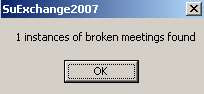
Looking for Broken Meetings we find the one that we know is waiting to be found.

Next step of course is to remove it.

The process obviously gets a lot more complicated when you add recurring meetings and recurring meeting exceptions to the mix (and we've already dealt with that).

Also the process is closely related to the "Terminated User" problem of how to clear out meetings from former employees (and you'll see oblique references to this on some of the buttons above).

We'd really like to hear feedback on how useful capability like this would be and the best way to present it to an Exchange Admin.

Saturday, May 31, 2008

How Long Does UNDO Take?

How long does the UNDO take?

Think of it this way: Rome wasn't built in a day but it did burn in one.

We've been comfortably using the 750 calendar objects per minute per server metric for data insertion for years now. We've got to admit that when someone asked us how long it would take to remove their data should they need to (something which hasn't happened in production in years, but which we always maintain the contingency plan for anyway) that we had never formally timed it.

So Russ's team went into action with data from a recent 2500 user customer, inserting current data plus two weeks' worth of history took 2hrs 20 minutes.

The UNDO took 30 minutes.

So UNDO takes about 25% of the time of your insertion.

But your mileage will definitely vary: These tests were on empty mailboxes.

If you have users with large mailbox quotas in Exchange, the UNDO will take longer because it has to search through lots of messages to selectively remove only the calendar objects.

Friday, May 30, 2008

Meetings created in EWS RTM Format can not be updated using EWS SP1

I tripped across an issue when trying to use Exchange 2007's Exchange Web Services SP1 to update a meeting that was created in the RTM version. I could not. Here's the error message:

The EWS Id specified is in Exchange 2007 RTM format while your request was made in the Exchange2007_SP1 mode. Please use the Exchange2007 SOAP version header in your request or remove it, or use ConvertId method to convert Id from EwsLegacyId to EwsId format.

The issue -- Exchange changed the EWS identifier format from Exchange 2007 RTM and SP1. ConvertId is required to convert the "EwsLegacyId" to the "EwsId". The change in identifier format is well documented. We don't typically update old meetings, so we haven't come across this issue before. Here's the link to the ConvertID page on MSDN:
http://msdn.microsoft.com/en-us/library/bb891865(EXCHG.80).aspx

and sample C# code: http://msdn.microsoft.com/en-us/library/bb856559.aspx
-Russ

Friday, May 09, 2008

Meeting Maker to iCalendar - no upgrades required

On a phone call this week one of our current migration clients told us that after they were done they were going to upgrade their obsoleted Meeting Maker server. Since this is the first time we've heard this one we asked "why?"

Their answer was a good one: They wanted to be able to export their Meeting Maker data to iCalendar format.

Since we're all about saving you folks money -- we just want to point out that we have an application for exporting your Meeting Maker server to ICS files (i.e., iCalendar), mapping all users and everything.

So if you need it in the future, please just ask.

Monday, May 05, 2008

Cross-Forest Impersonation

David Sterling has blogged about configuring resource forests. His recent post, Cross Forest Exchange Impersonation - where the rubber meets the road (http://msexchangeteam.com/archive/2008/03/24/448500.aspx) provides examples of how one actually configures impersonation permissions. If you want an overview of cross-forest impersonation, David blogged it here.

Everything I've read from David is always well written and informative. His support for the development community is equally exceptional. Thank you, David!

Monday, April 14, 2008

Save XP Petition

What does this have to do with calendaring?

Absolutely nothing.

But Windows Vista is "unsatisfactory" -- a phrase which here means "causes me to blow chunks."

InfoWorld started a petition to save XP -- which I signed as soon as I heard about it

Go there -- you know you must.

Thursday, April 10, 2008

Migration Best Practices

Our most recent migration client had what we consider to be one of the best communications strategies we've seen in a while -- they used this thing called a "web site."


We have seen similar things in the past -- what distinguished these folks was how well-planned and executed their entire user community communication strategy was.
Check out the example.

Wednesday, April 09, 2008

Google Calendars as SPAMbots

I could not believe it when it first happened last week -- but there, tucked in between the usual offers to increase body parts half the world does not have and the insane offers I get in Russian, was a Nigerian scam CALENDAR INVITATION!

And this morning there are now two others:


The huge problem with these of course is that they show up in my calendar (which obviously makes this an interesting variation for the spam-mongers). Russ's comment was classic: It must be SPAM because "Dearest Beloved One" could not be how anyone who knows you refers to you.

To make matters worse it looks as though they're originating out of Google Calendar:


Normally I would start thinking about ways of intercepting this client-side at my Outlook inbox -- but given that the script kiddies of the spamosphere have figured out how to harness Google Calendar for their ends, I'm hoping this one gets solved in Mountain View.

Anybody else noticing this?

Tuesday, April 08, 2008

Exchange Auto Accept Agent: Danger Danger!

We had a client report a weird experience Monday and we wanted to share it for the benefit of others.

They'd just migrated a few metric tons of calendar data into Exchange 2003 sp2.

The data looks fine, but after deleting a resource account that had been registered to the Auto Accept Agent (see the Deployment Guide) they discovered their server CPU usage pegged at 100% (not even a calendar migration usually does this!) and various other wrath-of-your-favorite-deity-type plagues on their Exchange server.

Turns out this is a well-known problem documented in the KnowledgeBase article An Exchange Server 2003 SP2 server becomes unresponsive after you delete a mailbox on which you registered the Auto Accept Agent event sink.

The best way to deal with the problem is to avoid it. (Patient: It hurts when I do this. Doctor: Well don't do that.)

But if you're already in the soup, fixing this problem if it happens to you involves using MfcMAPI. More than that you're going to need to know which registered resource was removed so you can make things right. Since there are no logs to guide you if this should suddenly happen, we recommend the Microsoft Exchange Team Blog article How do you know which mailboxes are registered with the Auto Accept Agent?

Keep track of your resources!

Sunday, March 23, 2008

Creating Delegates / Proxies in Zimbra

Sometimes we find out the coolest stuff while searching for something else.

And this was how we discovered how Meeting Maker users can migrate their read-write and read-only proxies and Oracle Calendar users can migrate their designates into Zimbra Viewer or Manager Roles.

As the Zimbra Wiki points out, zmmailbox can be used to set calendar READ-ONLY permissions (Viewer):

zmmailbox -z -m zyg@DOMAIN mfg -i /Calendar account russ@DOMAIN r

and the followng will set READ-WRITE (Manager):

zmmailbox -z -m zyg@DOMAIN mfg -i /Calendar account russ@DOMAIN rwidx

In the above examples Zyg makes Russ a delegate/proxy/pick your term.

So how do you get the list? In the intermediate MS Access database we use for Meeting Maker conversions it's in the PROXIES table. So the logical next step is for us to write a macro that just exports a batch file you can use to execute this command for everyone you're migrating. Any of you working on a Zimbra migration now we'll happily work with on this (though Zyg is taking a crack at it anyway).

For Oracle Calendar Server conversions it's even easier. Look up UNIACCESSRIGHTS in your OCS Reference Manual.

Friday, March 21, 2008

Tasks in Zimbra 5 - migrating them in

You know the simplest things always have some kind of hellacious complication lurking in them. So it is with what in Zimbra and OCS are called Tasks and in Meeting Maker are called To-Dos.

Meeting Maker has 7 Task Priorities while Zimbra has only 3.

This is how the priorities map when we do a migration:


Meeting Maker Urgent-> Zimbra High
Meeting Maker Important-> Zimbra High
Meeting Maker High -> Zimbra High
Meeting Maker Medium -> Zimbra Normal
Meeting Maker Normal -> Zimbra Normal
Meeting Maker Low -> Zimbra Low
Meeting Maker None -> Zimbra Low

For “Progress” options, Meeting Maker has only 2 levels (Done or Not Done) and Zimbra has 5 (Not started, Completed, In Progress, Waiting on Someone Else, and Deferred). “Done” maps to “Completed” and “Not done” maps to “In progress.”

Tasks are ICS files, but they can't be uploaded with the calendar data so we need to do them separately.

The following curl command will insert “tasks-zyg.ics” into User Zyg’s Tasks list:

curl -vvv -u zyg:PASSWORD --data-binary @tasks-zyg.ics http://SERVER/home/zyg/Tasks?fmt=ics

Oracle Calendar has a weirder case that we're not sure what to do with yet. OCS has priorities 1-9 and A-Z. In Outlook we map to priorities 1-5 with anything above “5” becoming “5.”

For Zimbra from OCS we'll wait until it's an issue for one of you and just define it that way from then on.

Oracle's other bugaboo is in access levels: Personal, Confidential, Normal, Public. Personal and Confidential map to PRIVATE in Zimbra, the other two map to PUBLIC.

Wednesday, March 12, 2008

Why can't I create mailboxes in Exchange 2007 via VMware

I thought it would be simple to create an additional user mailbox in our Exchange 2007 server running in VMWare virtual server. The mailbox creation process fails with this message: "An Exchange 2007 server on which an address list service is active cannot be found."


Why do simple tasks that fail drive me nuts, and take forever to resolve?

What broke? The Microsoft Exchange System Attendant failed to start! Once restarted, I created the mailbox with ease. This was the same thing I saw when creating mailboxes for an Exchange Resource Forest Trust. So for whatever reason, the SA continues to randomly fail to start. A three minute task stretched to fifteen. Reminds me of the joke... I always give 100% effort at work: 10% on Mon, 25% on Tue, 35% on Wed, 25% on Thu, 5% on Fri.